
Last Updated: May 2026 | Author: Robert
For a person with a disability, a computer is not a luxury device for watching Netflix. It is a lifeline. It is a voice for the non-verbal, eyes for the visually impaired, and the only bridge to employment for those with mobility challenges.
However, “Assistive Technology” is expensive. A standard laptop might cost $500, but specialized software like JAWS (Job Access With Speech) or eye-tracking hardware can push the price over $2,000.
If you are living on SSI (Supplemental Security Income) or SSDI (Social Security Disability Insurance), these costs are impossible.
This guide is not just about finding a “free laptop.” It is about unlocking the massive federal and private funding pools designed specifically to provide Adaptive Technology to people with disabilities in 2026.
Start Here: Which Path is Right for You?
1. “I need a computer for work/school.” You are in the right place. Keep reading below about “Vocational Rehabilitation.”
2. “I just need a basic laptop for general use.” If you do not need specialized adaptive software and just want a standard machine, our other guides might be faster:
- Have SNAP/Medicaid? Check our Master Guide to Government Laptop Applications.
- Need a Ready-to-Use Donation? Browse our list of 5 Non-Profits Offering Free Refurbished Laptops.
- Want to Hunt for Parts? Learn the “E-Waste” method in our Guide to Recycled Laptops.
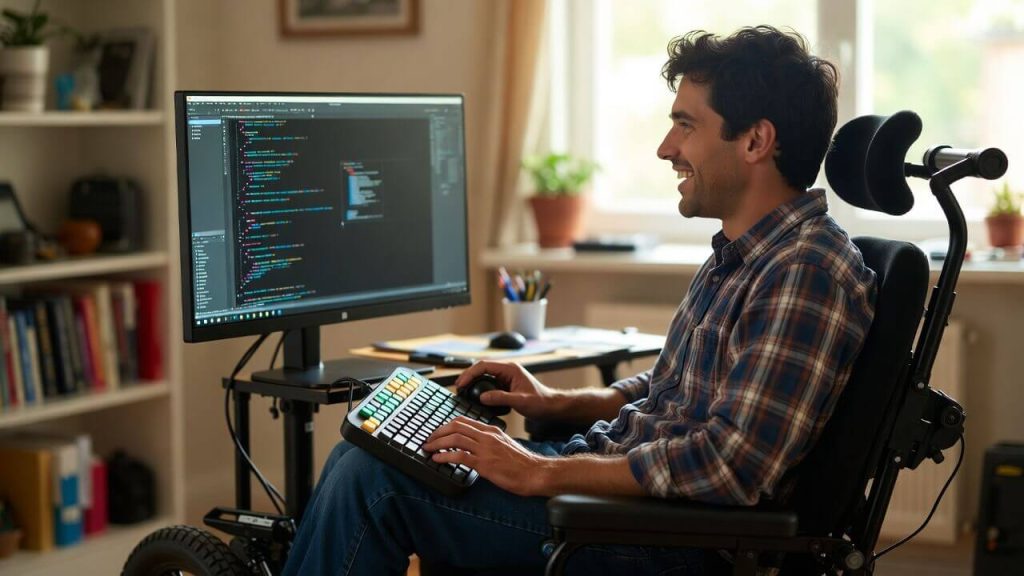
Technology is the great equalizer. With the right adaptive tools, disability is not a barrier to employment.
Phase 1: Vocational Rehabilitation (The “Holy Grail”)

Your Vocational Rehabilitation counselor (VRC) is your partner in funding expensive equipment needed for work.
If you remember only one thing from this article, let it be this: Voc Rehab.
Every single state in the US has a federally funded Department of Vocational Rehabilitation (VR). Their sole legal mandate is to help people with disabilities get or keep a job.
Why This is Better Than Charity
Charities give you what they have (usually an old Dell). Vocational Rehab buys you what you need.
- If you need a MacBook Pro for graphic design? They buy it.
- If you need Dragon NaturallySpeaking software because you cannot type? They buy it.
- If you need a specialized ergonomic keyboard? They buy it.
How the Process Works (The IPE Secret)
You cannot just walk in and ask for a free computer. You must follow a specific legal process called the IPE (Individualized Plan for Employment).
- Step 1: Application & Eligibility: Search Google for
[Your State] Department of Vocational Rehabilitation. Apply for services. You will need medical documentation of your disability. - Step 2: The Assessment: You will meet with a VRC (Vocational Rehabilitation Counselor). Crucial Tip: Do not say “I want a computer.” Say “I want to work as a [Job Title], but my disability prevents me from using standard equipment.”
- Step 3: Developing the IPE: This is the contract between you and the state. You must ensure the computer is listed as “Required Tool for Training/Employment” in your IPE.
- Step 4: Purchasing: Once the IPE is signed, the state issues a purchase order. You usually get a brand new device, fully warrantied.
Who Qualifies?
- Anyone with a physical, mental, or emotional disability that creates a “substantial impediment to employment.”
- This includes: Anxiety/Depression, ADHD, Back Injuries, Vision/Hearing Loss, Mobility Impairments, and Autoimmune Disorders.
Phase 2: The “Deaf-Blind” National Program (iCanConnect)
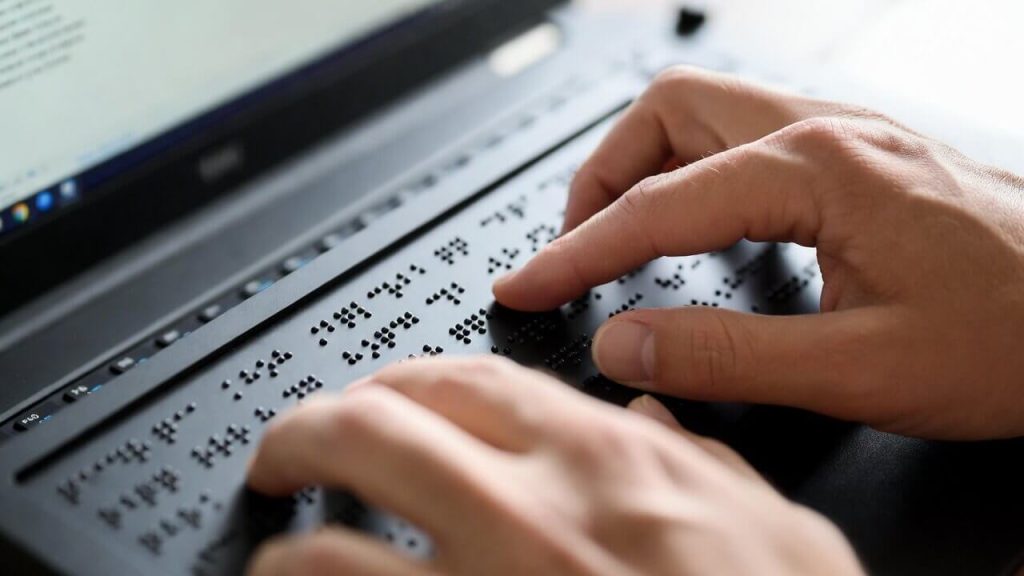
Programs like iCanConnect provide expensive Braille displays and screen reader software to qualified applicants.
If you have combined hearing and vision loss, there is a specific federal program just for you. It is called the National Deaf-Blind Equipment Distribution Program, widely known as iCanConnect.
What They Provide
This program does not just give “computers.” They provide complete communication solutions worth thousands of dollars.
- Hardware: Laptops, MacBooks, iPads, Braille displays.
- Software: Screen magnification software (ZoomText), screen readers (JAWS).
- Training: They send a trainer to your home to teach you how to use the equipment.
Eligibility Criteria
- Disability: You must have combined vision and hearing loss (“significant” loss qualifies).
- Income: Your household income must be within 400% of the Federal Poverty Guidelines.
How to Apply
- Visit the iCanConnect Website.
- Select your State and download the application form. You will need a professional to sign the “Attestation of Disability” page.
Phase 3: The SSI “PASS” Plan (Saving Without Losing Benefits)
If you receive Supplemental Security Income (SSI), you know the terrifying rule: You cannot have more than $2,000 in assets (cash in bank). If you save up $800 to buy a decent laptop, the Social Security Administration (SSA) might cut off your monthly check because you have “too much money.”
This keeps people trapped in poverty. But there is a legal loophole designed exactly for this situation. It is called the Plan to Achieve Self-Support (PASS).
What is a PASS Plan?
A PASS allows you to set aside money for a specific work goal—like buying a powerful computer for remote work—without that money counting against your $2,000 asset limit.
Step-by-Step Execution
- Define a Work Goal: You must say “I want a computer to become a [Job Title].”
- Download Form SSA-545: This is the official PASS application form.
- List the Computer: Under “Items and Services Needed,” list the specific computer model and software.
- Submit to the PASS Cadre: Do not send this to your local SSA office. Send it to the specialized PASS Cadre in your region.
Pro Tip: This is complex paperwork. We highly recommend contacting a WIPA (Work Incentives Planning and Assistance) project. They are funded by Social Security to help you fill out these forms for free.
Phase 4: Condition-Specific Non-Profits (The “Niche” Strategy)
General charities receive thousands of applications a week. However, charities that focus on specific disabilities receive far fewer applications and have much higher approval rates.
1. For the Visually Impaired: Computers for the Blind (CFTB)
Computers for the Blind is not technically “free,” but it is the best deal on the planet for the blind and low-vision community.
- The CFTB Solution: For a processing fee of roughly $130 – $185, they send you a high-powered computer pre-loaded with a permanent license of JAWS or ZoomText (which normally costs over $1,000).
2. For Mobility/Spinal Cord Injuries: The Beaumont Foundation
The Beaumont Foundation of America has a specific grant called “Children with Special Needs.”
- The Grant: They provide specialized hardware, such as eye-tracking cameras, sip-and-puff switches, or oversized keyboards.
3. For ALS (Lou Gehrig’s Disease): Team Gleason
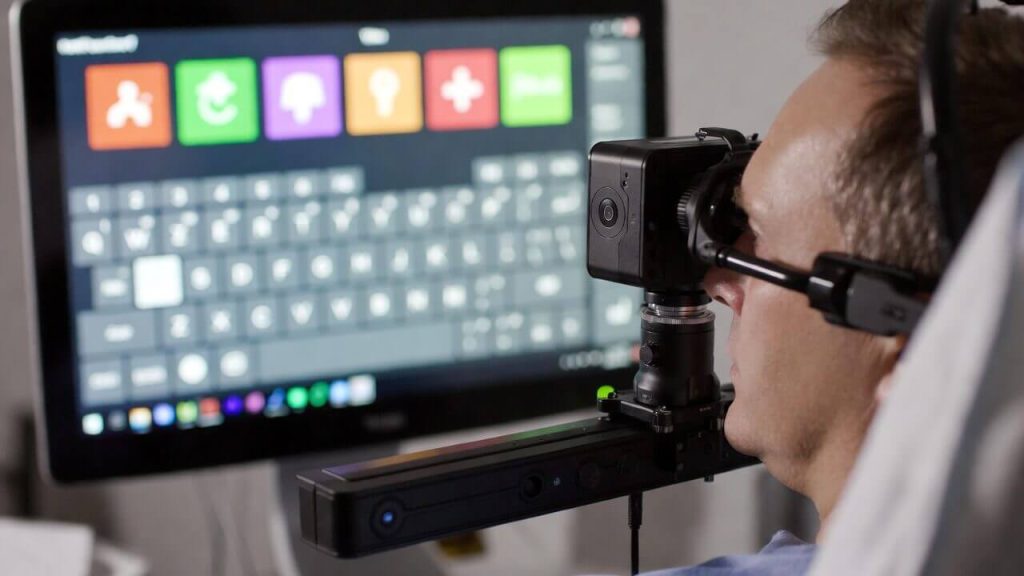
For conditions like ALS, eye-gaze computers allow users to communicate and work using only their eyes.
Founded by former NFL player Steve Gleason, Team Gleason is the gold standard for ALS technology. They are famous for providing Eye-Gaze Computers allowing fully paralyzed individuals to type and speak using only their eye movements.
4. For Veterans with Disabilities: Tech For Troops
If your disability is service-connected, Tech For Troops provides refurbished laptops specifically to veterans to help them bridge the digital divide and find jobs.
5. For Autism & Non-Verbal: Giving Voice
Giving Voice focuses on those who cannot speak. They often provide iPads or tablets loaded with AAC (Augmentative and Alternative Communication) apps like Proloquo2Go.
Phase 5: Adaptive Technology Lending Libraries (“Try Before You Buy”)
Imagine applying for a $3,000 grant for an eye-tracking computer, waiting 6 months, and then realizing it gives you a headache and you can’t use it. To prevent this, the federal government funds Assistive Technology (AT) Lending Libraries in every state.
What is an AT Library?
Think of it like a public library, but they stock iPads with communication apps, smart home devices, specialized keyboards, and expensive software like Dragon NaturallySpeaking.
- The Cost: 100% Free.
- The Loan Period: Usually 2 to 6 weeks.
Before you borrow equipment, watch this visual breakdown of how different assistive technologies bridge the accessibility gap:
How to Find Your State’s Program
There is one central hub to find your local program: The AT3 Center. Contact them to reserve the equipment; they will often ship it to your house for free and include a prepaid return label.
Phase 6: The “Medical Necessity” Loophole (Medicaid & Insurance)
Disclaimer: This is not legal advice. Consult with a qualified Speech-Language Pathologist (SLP).
Most health insurance companies explicitly say: “We do not cover personal computers or laptops.” However, they DO cover “Speech Generating Devices” (SGDs).
If you are non-verbal, a computer is not a luxury; it is your voice. In the eyes of the law, it is Durable Medical Equipment (DME).
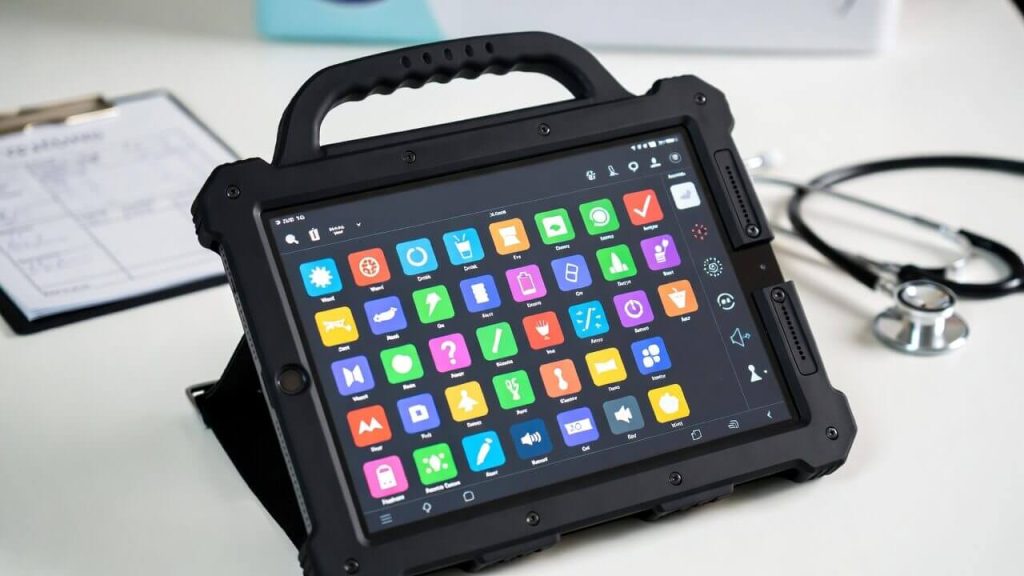
If classified as a “Speech Generating Device,” insurance or Medicaid may cover 100% of the cost.
The “Dedicated Device” Rule
To get insurance to pay for a computer (often an iPad or a Surface Pro in a rugged case), it must be “locked” to only run the communication software. If it is a “dedicated” medical device, Medicaid/Insurance often pays 80% to 100% of the cost. After the device is funded and owned by you, many manufacturers offer an “unlock key” for a small fee to open up the rest of the computer’s features.
Phase 7: Crowdfunding Without Losing Benefits (Help Hope Live)
You might be thinking, “I’ll just start a GoFundMe.” STOP. If you are on SSI or Medicaid, raising $2,000 on GoFundMe counts as “Income” or “Assets.” You could lose your monthly check and health insurance.
The Solution: Help Hope Live
Help Hope Live is a specialized non-profit crowdfunding platform for medical needs.
- Why it is safe: When people donate, they are donating to the non-profit, not to you directly. The non-profit then pays the bill for your computer/equipment.
- The Result: The money never touches your bank account. Therefore, it does not count as income or assets for SSI/Medicaid eligibility.
Conclusion: Technology is a Right, Not a Privilege
For people with disabilities, the “Digital Divide” is not just about missing out on Facebook. It is about being cut off from the workforce, from education, and from communication itself.
You have rights. The Americans with Disabilities Act (ADA) and the Rehabilitation Act were written to ensure you have equal access.
Your Action Plan:
- Think “Employment”: If you want to work, go straight to Vocational Rehabilitation.
- Think “Communication”: If you have vision/hearing loss, contact iCanConnect.
- Think “Protection”: If you need to fundraise, use Help Hope Live to protect your benefits.
Frequently Asked Questions (The “Fine Print”)
Q1: Will receiving a free computer affect my SSI/SSDI benefits?
A: Generally, no. Under SSA rules, a computer is considered a “Household Good” or “Personal Effect.” It is an exempt asset. However, if you receive cash to buy a computer and hold it in your bank account for more than 30 days, it counts as a resource. Have the charity or Vocational Rehab pay the vendor directly.
Q2: Is a Mac or Windows PC better for disabilities?
A: It depends on your condition. Macs have “VoiceOver” built-in for free, which is excellent for Low Vision. However, many workplaces use Windows with JAWS software. Vocational Rehab often prefers Windows for job compatibility. iPads (iOS) are the industry standard for non-verbal communication apps.
Q3: I cannot afford JAWS screen reader software ($1,000+). Is there a free alternative?
A: Yes! NVDA (NonVisual Desktop Access). NVDA is a high-quality, open-source screen reader for Windows that is completely free. It is robust enough for professional use and works well with web browsing and Microsoft Office.
Q4: Can I apply for a computer on behalf of my disabled child?
A: Absolutely. Most programs (like The Beaumont Foundation or iCanConnect) require a parent or legal guardian to be the primary applicant. You will need to provide the child’s medical documentation and proof of income for the household.
Q5: What if I don’t have a doctor to sign the medical forms?
A: Use a free clinic. You do not need a private specialist. A doctor at a Federally Qualified Health Center (FQHC) or a nurse practitioner can sign “Attestation of Disability” forms. Search for “Community Health Centers” in your area.
Important Disclaimer: StartGrants.com is an independent information portal. We are not a government agency and do not provide direct grants or products. Always verify the current status of programs with the providing organization.



I really could use a laptop.
we are working poor and needy from two decades in India ,Telangana state .this we are working for streetvendars at road side ,footwear and shoe repairers. these people sit at roadside a total day in sunshine,rains,cold seasons by taking shelter a big trees. Now government started road widening programme and cutting this trees. Now the people are helpless, pl. help for their rehabilitation.
thanks
G.RANGAREDDY
NAVODAYA SEVA SANGAM
How can I get a free laptop computer,I am Disabled with “OSTEOARTHRITIS”,in both I have asthma,have vision impairment, and some hearing difficulties.
I’d like to have a computer I’m on Social Security Disability so I can’t afford to buy one.
PLEASE I would really like to have one it will definitely give me more independence.
THANK YOU.
Sara Lee Wright
Pochahonis77@gmail.com
How can I get a free laptop computer,I am Disabled with “OSTEOARTHRITIS”,in both I have asthma,have vision impairment, and some hearing difficulties.
I’d like to have a computer I’m on Social Security Disability so I can’t afford to buy one.
PLEASE I would really like to have one it will definitely give me more independence.
THANK YOU.
Sara Lee Wright
Pochahonis77@gmail.com
SANFRANCISCO, California.
I am interested in a free computer for my disabled children to help them with there school work at home as they are death and domb it will help them with there learing