
Last Updated: May 2026 | Author: Robert
In the digital age, forcing a potential donor to write a physical check and mail it to your organization is a guaranteed way to lose funding. Modern philanthropy operates on the principle of minimal friction: the easier it is to give, the more money you will raise. Integrating a secure, instantly recognizable payment gateway is the most critical technical step in your campaign.
Before optimizing your technical infrastructure, it is essential to ensure your overall strategy is sound by reviewing our comprehensive guide to donations and fundraising. Once your foundation is set, you can execute the tactical deployment of digital payment systems.
This 2026 guide will provide you with technical and psychological tips on how to effectively add a PayPal donation button to your fundraising website to maximize your donor conversion rates.
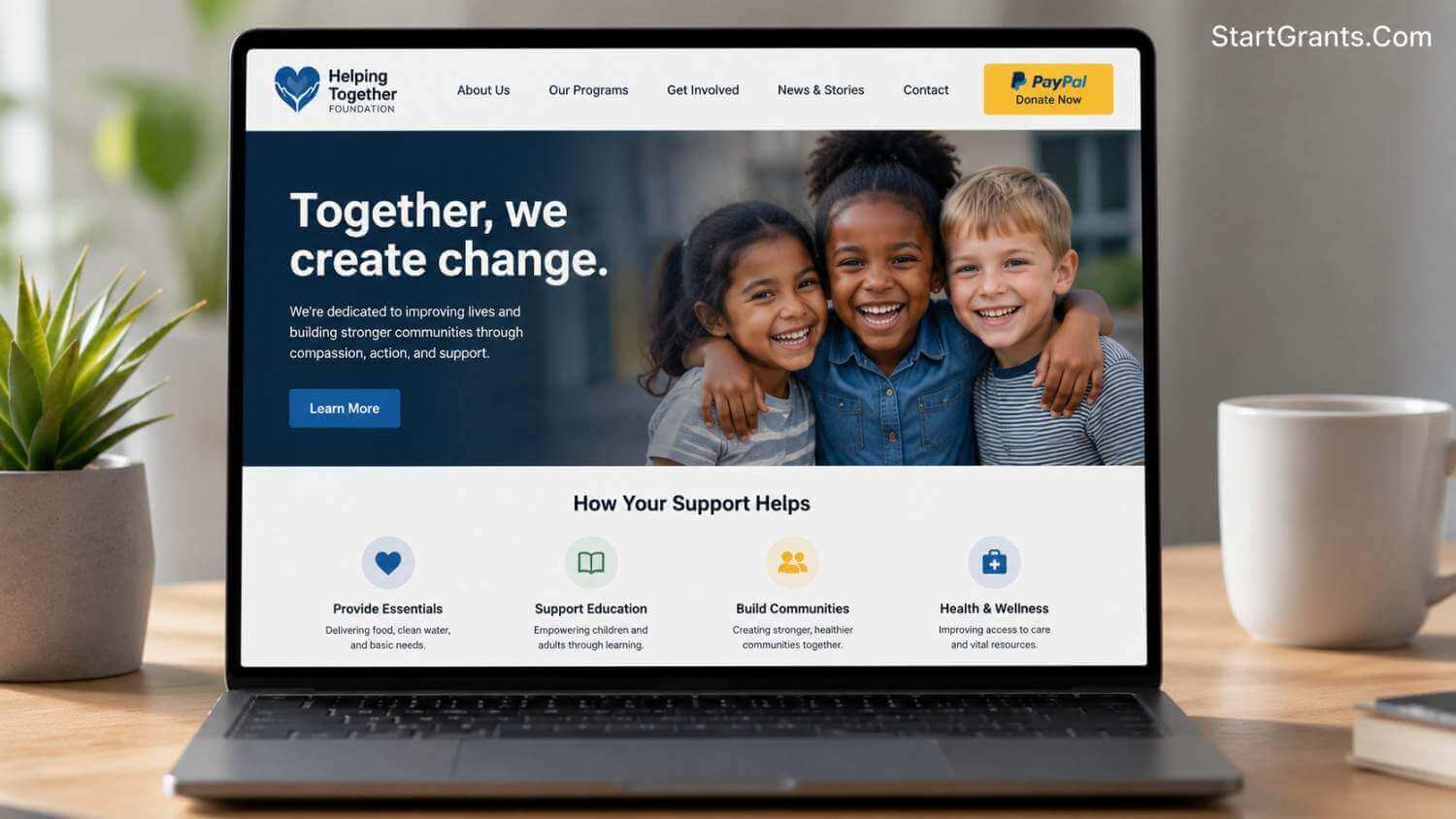
A strategically placed PayPal donation button eliminates friction, allowing donors to contribute securely in seconds without reaching for their credit cards.
Phase 1: Why PayPal Remains the Standard
While numerous payment gateways exist today, PayPal remains a dominant force for non-profits and personal fundraisers for two specific reasons: Trust and Convenience.
When a donor arrives at your site, seeing the iconic PayPal logo immediately signals that their financial data is secure. Furthermore, millions of users remain logged into their PayPal accounts on their browsers or mobile devices, meaning a donation can be completed in just two clicks without ever having to pull out a credit card to type in a 16-digit number.
For independent campaigners, this tool is invaluable. If you are launching a personal medical or emergency campaign, integrating this button is a core step discussed in our guide on how to get donations for yourself.
Phase 2: The Technical Setup (Business vs. Personal)
To generate the HTML code for a donation button, you must have the correct account type. While you can accept funds on a personal account, it is highly recommended to upgrade to a PayPal Business Account.
For legally registered 501(c)(3) charities, upgrading is crucial because it allows you to apply for discounted transaction rates. According to the official guidelines on PayPal’s Nonprofit Processing portal, verified charities can significantly lower their standard processing fees, ensuring more of every dollar reaches your actual cause. A Business Account also allows you to customize the checkout page with your organization’s logo, ensuring the donor does not feel like they have been redirected to a generic third-party site.
Pro-Tip: Generating the Code
Generating the actual button code is a straightforward process within your PayPal dashboard. Watch this quick technical tutorial to see exactly where to click to customize and generate your HTML button embed code:
Phase 3: UX & Strategic Placement (Where to Put the Button)
Having a button is useless if it is buried at the very bottom of a cluttered webpage. Search engines monitor how users interact with your page, and a clean, accessible layout keeps users engaged longer. You must deploy your button using strategic User Experience (UX) principles:
- The “Above the Fold” Rule: Place your primary donation button at the very top of your homepage, usually in the top-right corner of the navigation menu. A donor should never have to scroll down to figure out how to give you money.
- The Emotional Anchor: If you have a dedicated “Our Story” or “Campaign Details” page, place a secondary button immediately after the most emotional part of the text. When a reader feels moved by your mission, the tool to take action should be right in front of them.
- High Contrast Colors: Your button must stand out from the rest of your website’s color palette. If your website is mostly blue and white, use a bright yellow or gold PayPal button to draw the eye immediately.
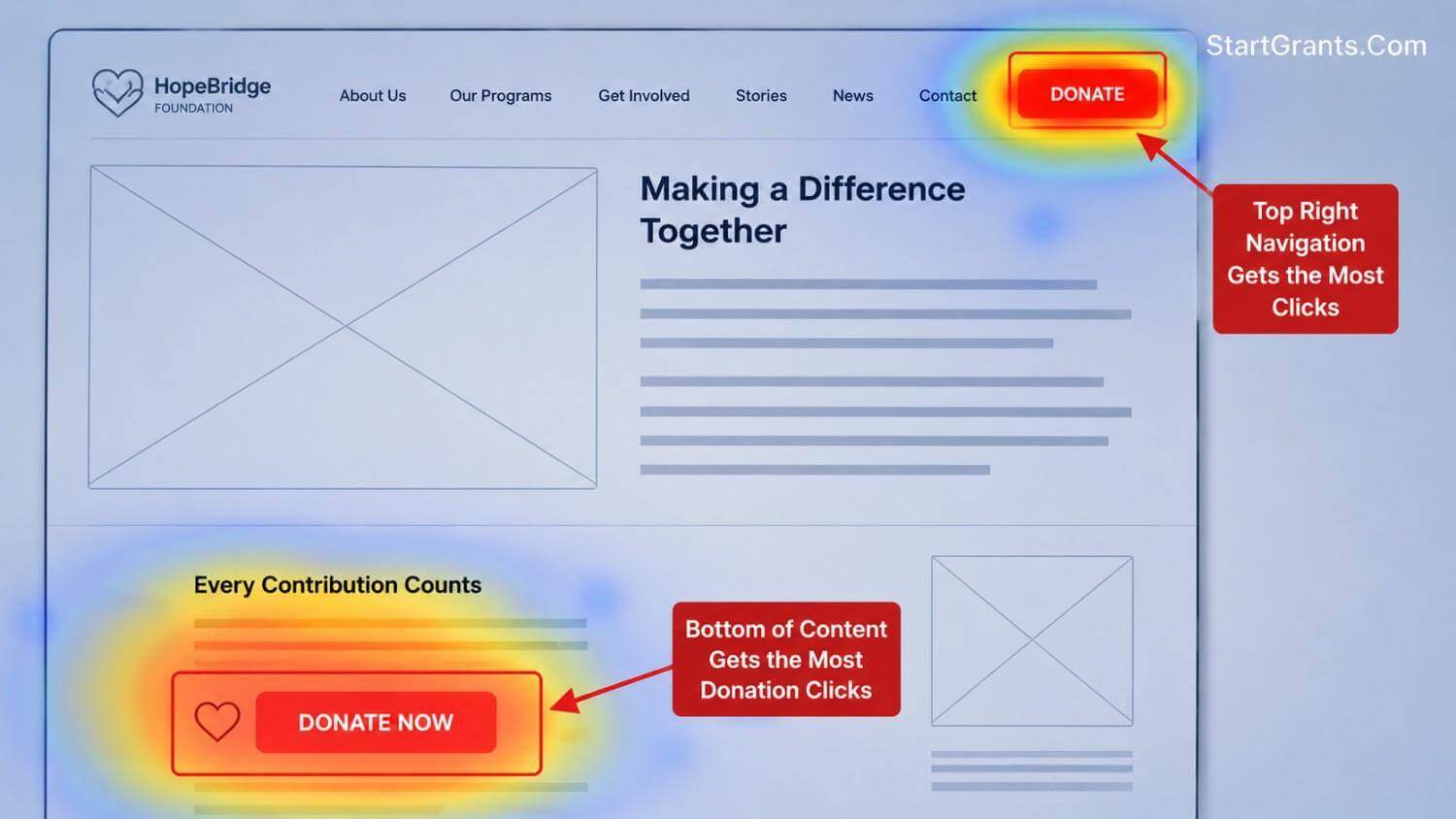
Utilizing proper User Experience (UX) principles—like placing the button “above the fold”—drastically increases the conversion rate of your fundraising campaign.
Phase 4: Integrating the Button into the Broader Campaign
A website button relies on inbound traffic. You cannot simply place the button on your site and wait; you must actively drive potential donors to that specific page. This requires integrating your technical setup with a robust outreach strategy.
For example, if you are executing a corporate outreach strategy, you must combine your digital infrastructure with traditional professionalism. Read our tactical breakdown on how to write a formal letter asking for donations. In your formal letters, you can provide the direct URL to your website’s donation page, creating a seamless transition from a paper request to a digital transaction.
If you are coordinating a massive, multi-channel drive, ensure you are following the core principles outlined in our main sub-pillar: how to get donations for a fundraiser.
Phase 5: Beyond the Website (The Direct Link)
While this guide focuses on embedding an HTML button into your website’s code, your fundraising efforts should not be confined to a single domain. For social media campaigns (like Instagram bios or Twitter posts) and email newsletters, embedding an HTML button is often impossible or blocked by email clients.
In these scenarios, you need a sharable URL. Discover the technical difference and how to generate a direct, clickable URL in our companion guide: how to setup a PayPal donation link.
Conclusion: Remove the Friction
Adding a PayPal donation button to your fundraising website is about respecting your donor’s time. By placing a secure, recognizable payment gateway in high-visibility areas of your website, you remove the barriers to giving. Combine this flawless technical execution with compelling storytelling, and your campaign will be positioned for maximum conversion.
(Note: If your organization is seeking non-cash contributions, such as office space or real estate to operate from, digital buttons will not suffice. For high-level asset acquisition, review our guide on how to get a building donated to your non-profit).
Frequently Asked Questions (FAQs)
Q1: Do donors need a PayPal account to use the donation button?
A: No. When donors click the PayPal donation button, they are given the option to log into their existing PayPal account or use the “Guest Checkout” feature to pay directly with a standard credit or debit card.
Q2: Does PayPal charge a fee for donation buttons?
A: Yes. PayPal charges a standard payment processing fee per transaction. However, if your organization is a legally registered 501(c)(3) non-profit, you can submit your paperwork to PayPal to receive a specially discounted charity transaction rate.
Q3: Can I use a personal PayPal account for my fundraising website?
A: While technically possible, it is not recommended for non-profits. A personal account will display your personal name to the donor, which can erode trust. A PayPal Business account allows you to display your organization’s official name and logo during checkout.
Q4: Is the PayPal donation button secure?
A: Yes, it is highly secure. When a donor clicks the button, the actual financial transaction is processed on PayPal’s heavily encrypted servers. This means your non-profit website does not directly handle, store, or take liability for sensitive credit card data.
Q5: How do I track the donations coming from my website?
A: All transactions processed through the button are instantly recorded in your PayPal dashboard. You can download detailed CSV reports of your donor history for tax and accounting purposes. Additionally, you can integrate tracking codes (like Google Analytics) to monitor which website pages generate the most button clicks.
Important Disclaimer: StartGrants.com is an independent information portal. We are not a government agency and do not provide direct grants or products. Always verify the current status of programs with the providing organization.